
MusicTech.blog
Reaper 7 Review: Powerful, Professional DAW at an Unbeatable Price
August 20, 2025
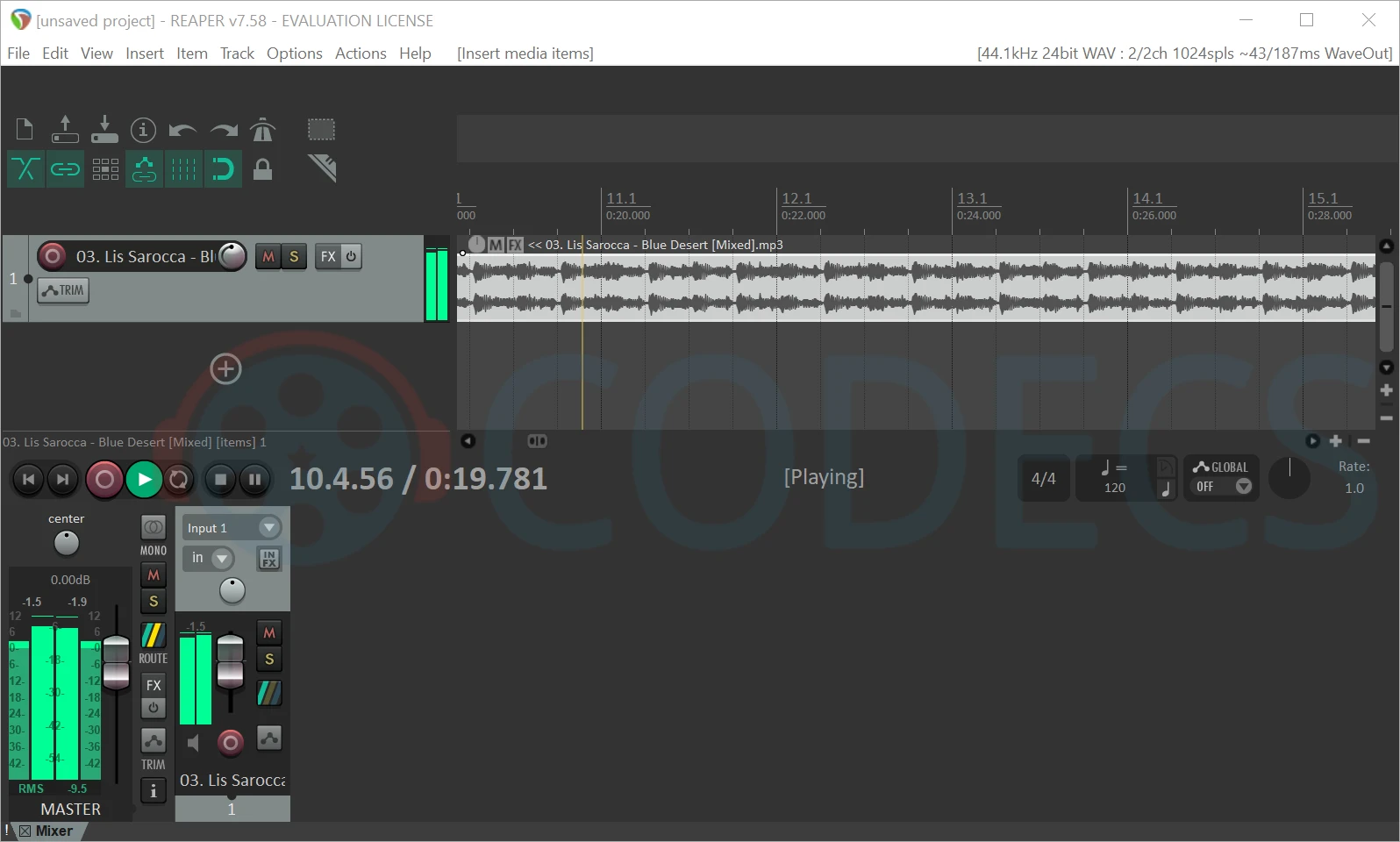
This Reaper 7 review is based on extended use across a range of recording, editing, and mixing sessions. The conclusion upfront: Reaper 7 is a genuinely professional digital audio workstation that costs a fraction of its competition, and the gap between what Reaper offers and what you’d get from software costing five to ten times as much is smaller than most producers expect.
What Reaper Is
Reaper is a full-featured DAW developed by Cockos, a small independent software company. It handles multitrack audio recording and editing, MIDI sequencing, virtual instruments, effects plugins (VST, VST3, AU, and its own JSFX format), a sophisticated automation system, video playback, and everything else you’d expect from a professional DAW. It runs on Windows and macOS, and an unofficial Linux port exists through the WINE compatibility layer.
The licensing is unusual. The discounted license — $60, available to individuals and small commercial operations with annual revenues under $20,000 — includes all future 7.x updates. When Reaper 8 eventually releases, a new license will be required. The commercial license is $225. Both prices are dramatically lower than Ableton Live ($499–$799), Logic Pro ($199 perpetual or subscription), or Cubase Pro ($600+). Reaper’s low price is a genuine feature, not an indication of inferior capability.
What’s New in Reaper 7
Reaper 7 introduced several significant updates over the previous version series:
- Razor edits — a new selection mode that allows time-based editing across multiple tracks simultaneously, selecting and moving audio regions across an arbitrary time range on multiple tracks at once. This dramatically speeds up arrangement editing for any project with many simultaneous tracks.
- Improved MIDI editing — expanded MIDI tools including improved notation display, better quantisation options, and enhanced MIDI item management.
- Theme and display improvements — updated default themes that look more contemporary and improved high-DPI display support for 4K monitors.
- Stretch markers — improved audio time-stretching with visual stretch marker editing directly in the timeline, similar to the warp marker approach in Ableton Live.
- Performance improvements — Reaper 7 handles larger projects with more tracks and plugins more efficiently than earlier versions, with better multicore CPU utilisation.
Audio Recording and Editing
Reaper’s audio recording is straightforward and reliable. Arm a track, set input routing, and record — the interface is clean and the metering is accurate. Multi-take comping is handled through Reaper’s take system, where multiple recordings to the same track stack as takes that can be switched between or compiled.
The audio editing environment is where Reaper shows some of its most distinctive capabilities. Items (Reaper’s term for audio clips) can be edited with extreme precision. Every item has its own volume, pitch, and playback rate settings independently of the track. Time-stretching can be applied per item using any of several algorithms (including the high-quality r8brain and élastique engines). Items can be glued, split, grouped, coloured, and organised with a flexibility that many other DAWs don’t match.
The FX chain system — Reaper’s plugin insert chain — can be applied at the item level (processing a specific region of audio), track level (processing all audio on a track), or master level. This three-level processing architecture provides routing flexibility that’s unusual in DAWs at any price point.
MIDI Sequencing
Reaper’s MIDI editing has historically been its weakest area compared to Cubase or Logic, but Reaper 7 has narrowed the gap. The MIDI editor provides a piano roll with standard editing tools, a drum grid view, event list editing, and notation display. Multi-item MIDI editing (editing MIDI from multiple tracks simultaneously in a single editor window) is a genuine strength — Cubase and Ableton make this workflow more complicated than Reaper does.
MIDI routing in Reaper is flexible — any track can send MIDI to any other track, enabling complex virtual instrument chains, MIDI processing, and routing scenarios that simpler DAWs don’t support. Virtual instrument hosting is straightforward: load any VST or VST3 instrument plugin into a track’s FX chain and it’s immediately playable via MIDI input.
Customisation: Reaper’s Defining Feature
Reaper is the most customisable DAW available. Nearly every aspect of the interface and behaviour can be modified — toolbar layouts, keyboard shortcuts, mouse modifier behaviours, theme colours and element sizes, and virtually any default behaviour can be configured per user preference. This level of customisation is enabled by Reaper’s scripting system: the ReaScript API allows automation and custom functionality using Python, Lua, or EEL2. The community around Reaper has produced thousands of scripts covering everything from automatic project backup to complex MIDI processing to custom mixing workflows.
Third-party themes dramatically change the visual appearance — Reaper’s default theme has historically looked dated, but community themes like Imperial, Default 6 Modifications, and White Elephant look contemporary and professional. Many producers who use Reaper permanently customise its appearance to match their workflow preferences in ways simply not possible in other DAWs.
Included Plugins
Reaper’s included plugin suite is one of its most significant weaknesses compared to Logic Pro, Cubase, or Ableton. The ReaPlugs bundle (ReaEQ, ReaComp, ReaDelay, ReaVerb, ReaGate, and others) are functional and capable but visually basic and not as polished as the included plugins in competing DAWs. Reaper has no included sample library, no included virtual instruments of note, and no included synthesizers — you’re expected to supply your own VST instruments and effects.
For producers who already own a plugin collection, this is a non-issue. For beginners building their first setup around Reaper, it means budgeting for or sourcing free VST instruments separately. The free plugin ecosystem — Surge XT, Vital, Dexed, MT-Power Drum Kit 2, and dozens of others — provides a workable starting point, but it requires more curation than simply installing Cubase or Logic and having a comprehensive toolset immediately available.
Performance and Stability
Reaper is fast. It loads quickly, handles large projects efficiently, and uses CPU and RAM more carefully than many competing DAWs. Projects that would cause performance issues in other DAWs often run comfortably in Reaper on the same hardware. The application’s small install footprint (under 30MB) reflects the efficient design philosophy throughout.
Stability is excellent. Reaper rarely crashes, and the automatic project backup system (saving project states at configurable intervals) means that even if something goes wrong, work is rarely lost. The crash reporting and recovery system is thorough and the crash rate in daily use is very low.
Who Should Use Reaper?
Reaper is the right choice in several specific situations:
- Budget-conscious beginners who want a professional-quality DAW at the lowest possible cost — $60 is genuinely difficult to argue against
- Audio engineers and producers who record and mix primarily audio rather than producing heavily with virtual instruments — Reaper’s audio editing and routing strengths are where it’s most competitive
- Producers who want deep customisation of their workflow and don’t mind investing time in configuration
- Multi-platform users who work on both Windows and macOS and want a single license that covers both
- Users with existing VST plugin collections who don’t need a bundled instrument library
- Podcast editors and audio post-production users — Reaper’s efficient editing, routing flexibility, and low price make it popular in podcasting and broadcast environments
Verdict
Reaper 7 is a genuinely professional DAW that deserves to be taken seriously regardless of its price. Its audio editing, routing flexibility, performance efficiency, and customisation capability are competitive with or superior to DAWs costing many times as much. Its weaknesses — the thin included plugin suite, the steeper initial learning curve, and the less polished default appearance — are real but manageable.
If price is a meaningful consideration in your choice of DAW, Reaper should be the first alternative you evaluate seriously. Download the fully functional trial (free for 60 days with an occasional reminder to purchase), run your existing sessions through it, and judge based on your actual use rather than assumption. Many producers who try Reaper expecting a budget compromise find themselves using it as their primary DAW.