
MusicTech.blog
A Guide to MIDI Controller Keyboards
April 16, 2025
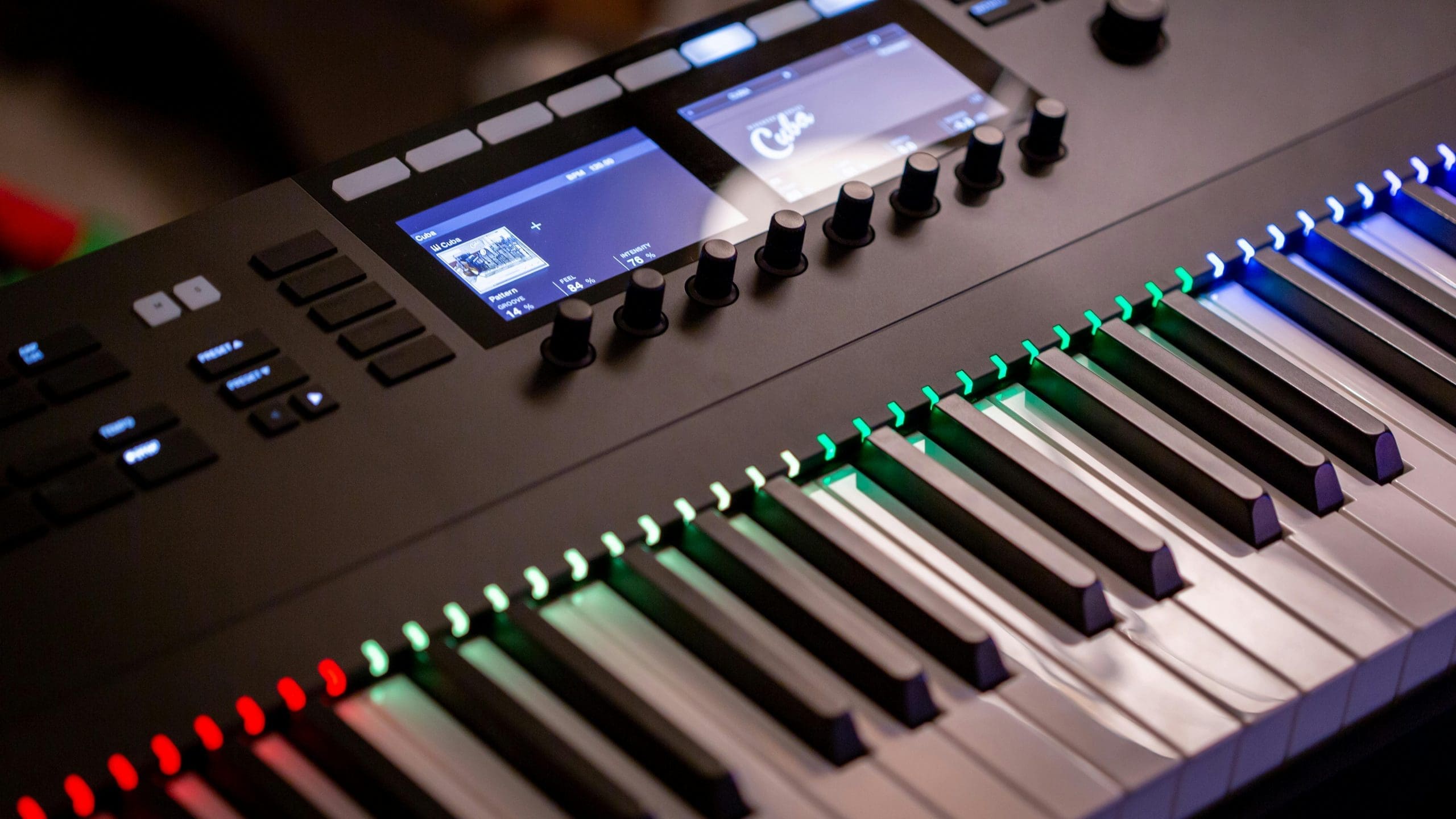
If you produce music with virtual instruments — synthesizers, pianos, orchestral libraries, drum samplers — a MIDI controller keyboard is one of the most practically useful pieces of gear you can add to your studio. It transforms working with software instruments from a point-and-click exercise into something that feels genuinely musical, and it opens up expressive performance techniques — velocity sensitivity, aftertouch, pitch bend, modulation — that a mouse and keyboard simply cannot replicate.
Here’s what you need to know to choose the right one for your setup and your workflow.
What a MIDI Controller Keyboard Actually Does
A MIDI controller keyboard doesn’t produce any sound on its own. It sends MIDI data — note information, velocity (how hard you pressed a key), pitch bend, modulation, aftertouch, and more — to your DAW or to external hardware synthesizers. Your DAW uses that data to trigger whatever virtual instrument you have loaded, or routes it to a connected hardware synth.
This distinction matters because it means a MIDI controller keyboard is separate from (and compatible with) any virtual instrument or hardware synthesizer. You’re not buying a sound; you’re buying an input device that works with all of your sounds.
The quality of the keyboard action directly affects how expressive your performances can be. A cheap, unweighted keyboard with minimal velocity sensitivity will make everything you play sound mechanical, because the dynamics of your playing aren’t being captured accurately. A well-designed controller with a good action makes the difference between MIDI performances that feel played and MIDI performances that feel programmed.
Key Action Types
The most important decision when choosing a MIDI controller keyboard is the key action — the physical feel of the keys under your fingers. There are three main types:
Unweighted (Synth Action)
Unweighted keys are light, fast, and spring-loaded — they return to position immediately with no significant resistance. This is the action used on synthesizers and the majority of MIDI controller keyboards. It’s ideal for playing synth parts, programming patterns, playing chord voicings quickly, and triggering drums or one-shot samples. Unweighted action is not appropriate for pianists who want to replicate the feel of playing an acoustic piano, but it’s perfectly appropriate for the majority of electronic music production workflows.
Semi-Weighted
Semi-weighted keys add a small amount of resistance to an otherwise synth-style action — they feel heavier than standard unweighted keys without approaching the resistance of a piano. This is a middle-ground that many producers find comfortable for extended sessions. It’s more tiring to play fast synth parts on than a fully unweighted action, and it doesn’t feel convincingly piano-like — but for producers who split their time between synth parts and piano-style playing, semi-weighted is a practical compromise.
Weighted (Hammer Action)
Weighted keys use a hammer mechanism — individual weighted hammers or a weighted system behind each key — to simulate the feel of an acoustic piano action. The keys have genuine weight and resistance, and the dynamic response from soft to loud playing feels natural for pianists. Weighted action is essential if you’re a trained pianist who wants to play piano parts expressively, or if you’re recording performances intended to sound like a real piano rather than a synthesized version. The tradeoff is size, weight, and cost — weighted controller keyboards are heavier, more expensive, and take up more desk space than unweighted equivalents.
How Many Keys Do You Need?
MIDI controller keyboards are available in several standard sizes:
- 25 keys (2 octaves) — compact and portable, suitable for producing synth parts, bass lines, and chord progressions where the range can be extended with octave shift buttons. Too limiting for piano-style playing or anything requiring hand independence across a wider range.
- 37 keys (3 octaves) — slightly more room than 25 keys while remaining relatively compact. A practical middle ground for producers who want portability without the extreme constraint of 25 keys.
- 49 keys (4 octaves) — the most popular size for studio production. Enough range to play most parts without constant octave shifting, small enough to fit comfortably on a standard desk.
- 61 keys (5 octaves) — the minimum recommended range for pianists wanting to play two-handed parts, and a comfortable size for producers who work with a wide range of instruments. Takes up significantly more desk space than 49-key models.
- 76 keys — a less common middle ground between 61 and 88 keys, offering expanded range without the full footprint of a standard piano keyboard.
- 88 keys (full piano range) — a full-size piano keyboard, essential for serious piano performance recording. Required for playing pieces that use the full range of the piano. These are typically weighted-action instruments and are significantly larger and heavier than smaller controllers.
For most home studio producers working primarily with virtual instruments in a DAW: 49 keys is the practical sweet spot. It fits on a desk, provides enough range for most production tasks, and doesn’t require constant octave shifting to access common melodic ranges.
Additional Controls: Pads, Knobs, Faders, and Wheels
Beyond the keys themselves, most MIDI controller keyboards include additional controls for performance and production:
Pitch Bend and Modulation Wheels
Almost every MIDI controller keyboard includes a pitch bend wheel (returns to centre when released, used for smooth pitch slides) and a modulation wheel (stays wherever you leave it, used to control vibrato, filter cutoff, or any parameter mapped to CC1). These are standard controls that date back to the original Minimoog synthesizer. They’re essential for expressive performance and should be present on any keyboard you buy.
Drum Pads
Many controller keyboards include a grid of velocity-sensitive drum pads — typically 8 or 16 square rubber pads. These are used for finger drumming, triggering samples and loops, launching clips in Ableton Live, and playing melodic instruments in a rhythmic style that suits pads better than keys. The quality of drum pads varies significantly: the best (found on dedicated pad controllers like the Akai MPC and Native Instruments Maschine) have excellent sensitivity and feel; the pads on budget keyboard controllers are often afterthoughts with poor dynamics.
Assignable Knobs and Faders
Rotary knobs and faders can be assigned to control any parameter in your DAW or virtual instrument — filter cutoff, reverb send, track volume, plugin parameters, and more. Physical control over these parameters is faster and more expressive than mouse-clicking. The number and quality of knobs and faders is one of the main differentiators between entry-level and professional controller keyboards.
Aftertouch
Aftertouch is a pressure sensor beneath the keys that detects how hard you press down after the initial key strike. This generates a continuous MIDI signal (CC or channel pressure) that can control vibrato, filter brightness, expression, or any other parameter — giving you a third dimension of expressiveness beyond note-on and velocity. Aftertouch is common on mid-range and professional keyboard controllers and absent from most budget models. If you play synthesizers expressively and want to add subtle real-time modulation without using a modulation wheel, aftertouch is worth seeking out.
Recommended MIDI Controller Keyboards by Category
Best for Beginners and Compact Setups
The Arturia MiniLab 3 (25 keys, unweighted, 8 pads, 8 knobs) is an excellent compact controller at an accessible price, bundled with Arturia’s Analog Lab V software — a library of over 2,000 synth and keyboard presets. The Akai MPK Mini Play MK3 is similarly compact with built-in sounds, making it useful without a computer for practice and basic composition.
Best 49-Key Controllers
The Arturia KeyLab Essential 49 MK3 offers 49 synth-action keys, 9 faders, 9 knobs, 16 pads, and excellent DAW integration with a strong software bundle. The Native Instruments Komplete Kontrol A49 integrates deeply with NI’s Komplete instrument ecosystem and has a clean, professional feel with good key action. The Akai MPK249 provides 49 semi-weighted keys, 16 MPC-style pads with aftertouch, and comprehensive controls in a reliable package.
Best 61-Key Controllers
The Arturia KeyLab 61 MK2 is a professional-grade 61-key controller with a high-quality semi-weighted action, extensive controls, CV outputs for connecting modular synthesizers, and a comprehensive software bundle. For producers who want a larger playing surface without moving to 88 weighted keys, the KeyLab 61 MK2 is one of the best options available.
Best Weighted 88-Key Controllers
The Roland FP-30X and Yamaha P-45 are digital pianos with MIDI output that can also function as MIDI controllers — both have excellent weighted actions at their respective price points and internal sounds that make them useful as standalone instruments. For dedicated controller use without built-in sounds, the M-Audio Hammer 88 offers a fully weighted 88-key action at a lower price than piano-grade instruments, though the action is less refined than the Roland or Yamaha options.
DAW Integration and Software Bundles
Most major MIDI controller manufacturers offer plug-and-play integration with popular DAWs — Ableton Live, Logic Pro, Cubase, FL Studio — where the keyboard’s transport buttons, faders, and knobs automatically control the corresponding functions in the DAW without manual mapping. This integration is generally good on Arturia, Native Instruments, Akai, and M-Audio controllers.
Software bundles vary considerably in value. Arturia’s Analog Lab V inclusion is genuinely useful — it’s a standalone application with a large preset library that works immediately without additional setup. Native Instruments bundles portions of the Komplete library with their controllers, which is also substantial. Be somewhat sceptical of bundles built around obscure or limited-function software; the hardware quality matters more than the bundle.
The Bottom Line
For most home studio producers: a 49-key synth-action or semi-weighted keyboard with pitch bend, modulation wheel, a reasonable set of assignable knobs, and solid DAW integration covers the majority of production needs at a price that doesn’t require significant compromise elsewhere. The Arturia KeyLab Essential 49 MK3 and Native Instruments Komplete Kontrol A49 are both excellent starting points at the mid-range, while the Arturia MiniLab 3 covers the budget end competently.
If you’re a pianist first and a producer second, buy a weighted-action keyboard — the muscle memory and expressiveness of your playing depend on it. If you’re primarily a beat-maker and producer who plays keyboard parts by feel, unweighted is faster, lighter, and more than capable.