
MusicTech.blog
Phase and Polarity Explained: Why Your Audio Can Disappear
December 23, 2025
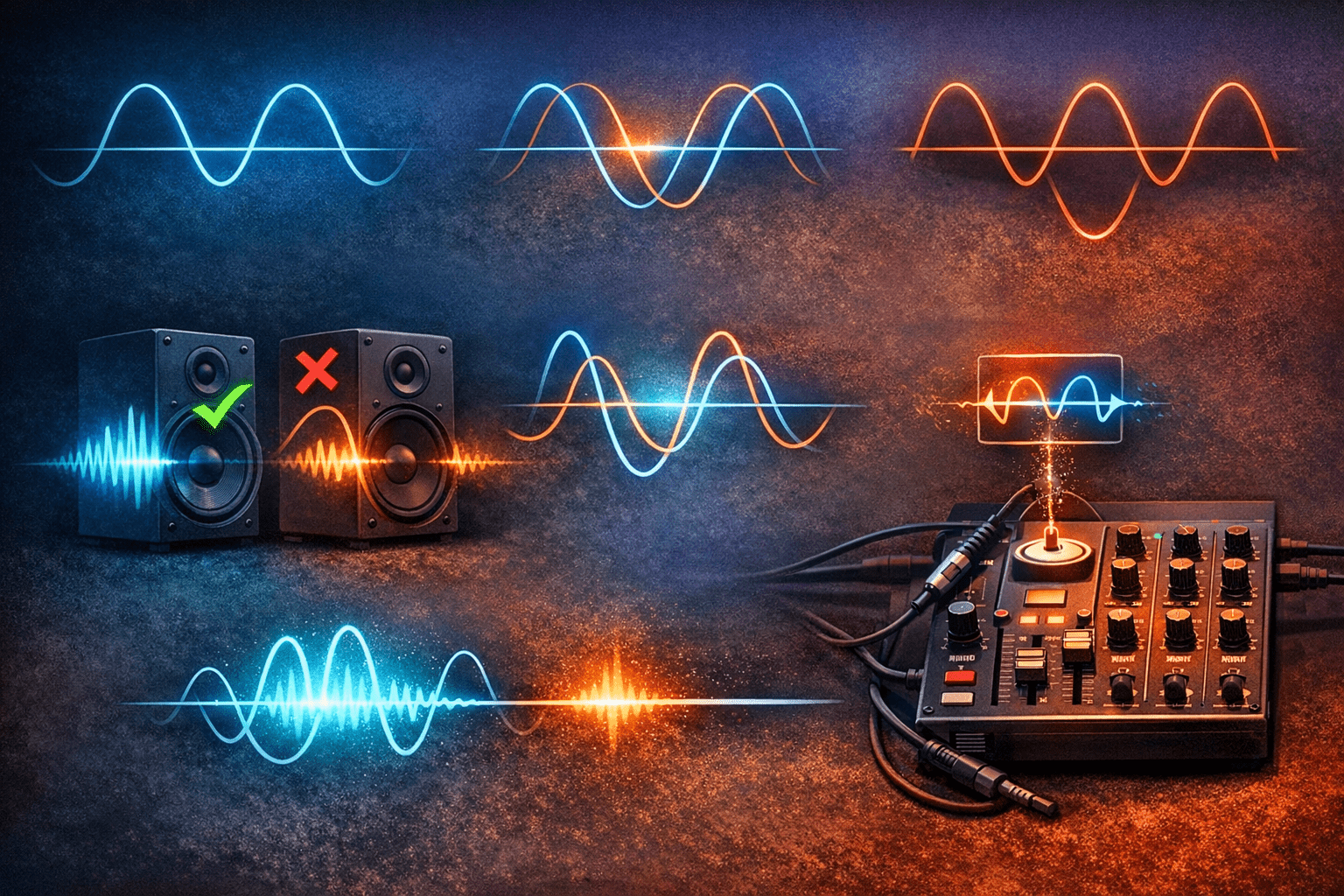
You’ve recorded a great guitar part, layered it with another take to thicken it up — and suddenly it sounds thin and hollow instead. Or you’ve put up two microphones on a drum kit and the kick sounds weak and lifeless in the mix. Phase is almost certainly the culprit. It’s one of the most common problems in audio production, and once you understand it, you’ll start catching it everywhere — and fixing it quickly.
What Is a Sound Wave?
Sound travels as a wave — a repeating pattern of compression and rarefaction in the air. When you visualise this in a DAW as a waveform, you’re seeing that wave plotted over time: the peaks are points of maximum positive pressure, and the troughs are points of maximum negative pressure. Phase describes where a wave is in its cycle at any given moment. A full cycle runs from 0° to 360°. If two identical waves are perfectly in phase (both at 0° simultaneously), they add together and you get a signal twice as loud. If they’re perfectly out of phase (one at 0° while the other is at 180°), they cancel each other out completely — and you get silence.
Phase Cancellation: Why It Happens
In practice, complete cancellation is rare — but partial cancellation is extremely common. When two microphones capture the same sound source at different distances, the sound arrives at each microphone at slightly different times. In the time domain, this arrival delay corresponds to a phase difference between the two signals. When those signals are combined in the mix, certain frequencies cancel (where the phase difference is close to 180°) and others add (where the difference is close to 0°). The result is a comb filter effect — a series of peaks and notches in the frequency spectrum that gives the combined signal a hollow, thin, or filtered quality.
This is why electric guitar sounds thin when you record both a close microphone and a room microphone without checking their phase relationship, why a doubled guitar track can sound hollow instead of thick, and why a snare drum loses body when the top and bottom microphones are combined without phase correction.
Polarity: What It Is and How It Differs from Phase
Polarity is often confused with phase but is a simpler, distinct concept. Flipping the polarity of a signal inverts the waveform — every positive value becomes negative and vice versa. This is a 180° static phase relationship, applied uniformly across all frequencies. In contrast, a phase relationship caused by time delay is frequency-dependent — different frequencies are shifted by different amounts depending on the delay time, which is why phase problems from microphone distance sound like comb filtering rather than simple cancellation.
Polarity inversion is the blunt-force tool in your phase-management toolkit. Every DAW and most mixer channels include a polarity inversion switch (often labelled with the ø symbol or marked “Phase”). When you have two microphones on a snare drum — one on top, one underneath — the bottom microphone is pointing in the opposite direction, so it captures a signal that’s naturally inverted relative to the top. Flipping polarity on the bottom microphone brings it back into alignment with the top, and suddenly the snare has body and weight instead of sounding thin and hollow.
The 3:1 Rule for Multi-Microphone Setups
The 3:1 rule is the traditional guideline for minimising phase problems when using multiple microphones on a single source or in close proximity. The rule: for every unit of distance between a microphone and its source, the distance between that microphone and any adjacent microphone should be at least three times as great. If the close microphone is 30 cm from the source, the second microphone should be at least 90 cm away from the first.
The physics behind the rule: at the 3:1 ratio, the signal level from the close microphone is approximately 10 dB louder than the bleed from the distant source into the second microphone. This 10 dB level difference means the phase relationship between the two microphones has minimal audible impact on the combined signal. The rule doesn’t eliminate phase problems — it reduces their audibility to a practically acceptable level in most recording situations.
Checking Phase in Your DAW
The simplest phase check: collapse your mix to mono. Switch your monitoring to mono (most DAWs and monitoring controllers have a mono button) and listen. If elements suddenly get thinner, quieter, or disappear when you switch to mono, those elements have a phase relationship that’s causing cancellation when the stereo channels are summed together.
For multi-microphone recordings specifically, solo the two or more microphones that are capturing the same source. Listen to them together. Then flip polarity on one and listen again. One of the two polarities will sound fuller, more present, and better defined — that’s the correct setting. This simple test should be part of the setup routine for any recording that uses more than one microphone on a single source.
Phase Alignment Plugins
Polarity inversion is a blunt tool — it addresses a 180° relationship but not the continuous phase shift caused by microphone distance. For more precise correction, phase alignment plugins allow fine adjustment of the timing relationship between two signals, compensating for the exact delay caused by microphone placement.
The Little Labs IBP (Interface Between Products) Phase Alignment tool — available as hardware and in plugin form from Little Labs and Universal Audio — is the industry-standard tool for precise phase alignment. It provides a continuously variable phase control rather than a binary polarity flip, allowing you to align signals at any phase relationship. Waves InPhase, Metric Halo Precision DeEsser’s phase mode, and similar tools provide comparable capability in plugin form.
In practice: place the phase alignment plugin on the secondary microphone channel, zoom into the waveforms of both signals in your DAW to visually align the transients, and then fine-tune by ear — listening for the setting that produces the fullest, most coherent combined sound. Visual alignment gets you close; critical listening gets you the rest of the way.
Phase in Stereo Processing
Phase problems aren’t limited to multi-microphone recordings. Certain audio processing can introduce phase shift as a side effect: all-pass filters (used internally in many equalizers and crossover networks), minimum-phase EQ processing, and some reverb and modulation algorithms introduce frequency-dependent phase changes that can affect the stereo image and mono compatibility of a mix.
Linear-phase EQs are specifically designed to avoid this — they apply frequency gain changes without phase shift, at the cost of higher CPU usage and the potential for pre-ringing on transients. For mastering and mix bus processing where phase integrity across the full frequency range is important, linear-phase EQ is often the preferred choice.
Wide stereo processing — stereo wideners, mid-side EQ, and certain reverbs — can also create mono compatibility problems if the side signal contains out-of-phase content. Always check your final mix in mono before delivery: anything that disappears or significantly changes in mono has a phase issue that will affect listeners on mono playback systems, which includes nearly every smart speaker, many car audio systems, and phone speakers.
Quick Reference: Phase Problem Checklist
- Mix sounds thin or hollow when summed to mono → check phase relationships between stereo-recorded elements
- Two mics on same source sound hollow together → flip polarity on one; use the setting that sounds fuller
- Snare bottom mic sounds wrong → flip polarity; it’s almost always inverted relative to the top mic
- Doubled guitar track sounds hollow → check timing alignment; a few milliseconds offset between takes causes phase cancellation
- Kick sounds weak with room mic added → use phase alignment plugin or manually delay/advance the room mic to align with the close mic transient
- Stereo widener makes things disappear in mono → the widener is adding out-of-phase content to the sides; reduce width or use a mono-compatible widening approach
Phase awareness is a foundational engineering skill. The mono check costs five seconds; catching a phase problem early saves hours of troubleshooting later in the mix — and ensures your music sounds right on every playback system, not just the one you mixed on.