
MusicTech.blog
Ableton Live 12 Review: The Best DAW for Electronic Music and Performance
July 20, 2026
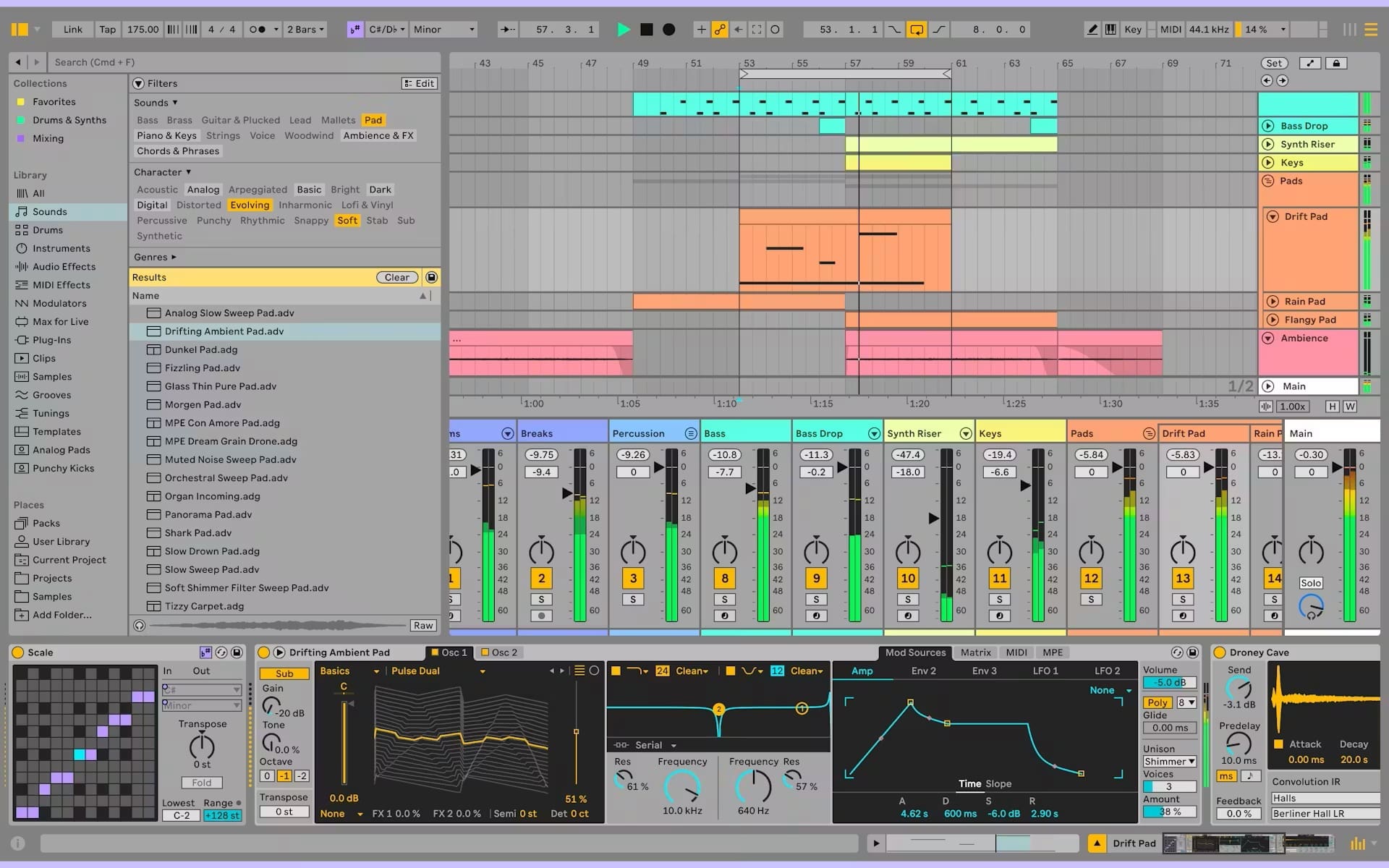
Ableton Live occupies a unique position in the DAW landscape. It’s simultaneously the most widely used DAW in electronic music production and one of the most distinctive for live performance — two use cases that most DAWs serve adequately but neither as specifically or as well as Live does. Version 12, released in 2024, built on the strong foundation of 11 with MIDI 2.0 support, improved generative composition tools, and continued refinements to the workflow that has defined electronic music production for two decades. This review covers what makes Live 12 worth considering, and who it’s best suited for.
The Two Views: Session and Arrangement
Live’s defining feature is its dual-view architecture. The Arrangement View is a conventional linear timeline — the familiar horizontal tracks-and-clips layout that every other DAW uses. This is where you assemble finished songs from their component parts, record audio, arrange structure, and do the detailed editing work that leads to a completed track.
The Session View is unique. It presents tracks as vertical columns, with each cell in a track containing a clip — a loop, a one-shot sample, a MIDI pattern, or an audio recording. Any clip can be triggered at any time, and Live will launch it in sync with the project tempo at the next available beat or bar boundary. Triggering clips from multiple tracks simultaneously creates a “scene” — a particular combination of loops playing together. Moving between scenes transitions the music from one section to another without stopping the music.
This architecture makes Live uniquely suited for: building tracks from loops that can be arranged in real time, DJing and live electronic performance, improvised composition where the final structure isn’t predetermined, and any workflow where you want to audition combinations of loops before committing to an arrangement.
Audio Warping
Live’s audio warping is among the best time-stretching implementations in any DAW. Any audio clip can be stretched to match the project tempo regardless of its original tempo, using warp markers that anchor specific points in the audio to specific positions in the timeline. The Complex and Complex Pro warp modes (based on granular processing) handle polyphonic material like full mixes and complex samples with more transparency than most DAW stretching algorithms.
The practical value: any sample from any source can be dropped into a Live project and immediately stretched to match the project tempo without manual preparation. Loop-based producers work faster in Live than in most other DAWs specifically because of this warping capability — it removes a step that other DAWs require.
Instruments and Effects
Live 11 Suite introduced several new instruments that significantly expanded the built-in synthesis palette. Meld (a polyphonic wavetable synthesizer with MPE support), Drift (an analogue-modelled synthesizer inspired by classic monosynths), and Roar (a multi-stage saturation and distortion device) all appeared in version 12 updates. The legacy instruments — Analog, Electric, Operator (FM), Tension, and Wavetable — remain excellent. The effects suite includes high-quality reverbs, delays, compressors, and EQs that are genuinely competitive with third-party plugins at this quality level.
Max for Live — a visual programming environment included with Live Suite that allows building custom instruments and effects — extends Live’s capabilities essentially without limit. The community around Max for Live has produced thousands of devices covering everything from generative sequencers to hardware communication tools to novel synthesis approaches. It’s one of Live’s most distinctive long-term advantages.
MIDI Editing and Composition
Live 12 introduced MIDI generative features — scale and chord awareness in the piano roll, clip-level scale settings, and improved MIDI transformation tools. The piano roll now highlights scale tones and allows randomisation of notes within a scale, making melodic composition more accessible for producers who work intuitively rather than with deep music theory knowledge.
Where Live’s MIDI editing remains behind Cubase is in articulation management and advanced MIDI expression for orchestral work. Live is not the primary choice for film composers or orchestral producers — it’s the primary choice for electronic music producers, beatmakers, and live performers.
Pricing
Live comes in three tiers: Intro ($99), Standard ($449), and Suite ($749). The Intro version is limited to 8 tracks and lacks many instruments and effects. Standard is the full DAW without the built-in instrument library. Suite includes everything — the full instrument and effects library including Meld, Drift, Roar, and all legacy instruments, plus Max for Live. For producers who want the complete Live experience, Suite is the right tier; Standard is appropriate for producers who have their own third-party plugin collections and don’t need the included instruments.
Verdict
If you make electronic music — any genre from house to ambient to drum and bass to experimental — Live 12 is the most natural production environment available. The Session View, the warping, and the overall design philosophy make the process of building and arranging electronic music faster and more fluid than any competitor. For live electronic performance, there’s no serious alternative. If you record bands, do orchestral composition, or need the deepest MIDI editing tools, look at Cubase or Logic first.