
MusicTech.blog
How to Record Drums at Home: Mic Setups from 1 to 8 Mics
May 31, 2026
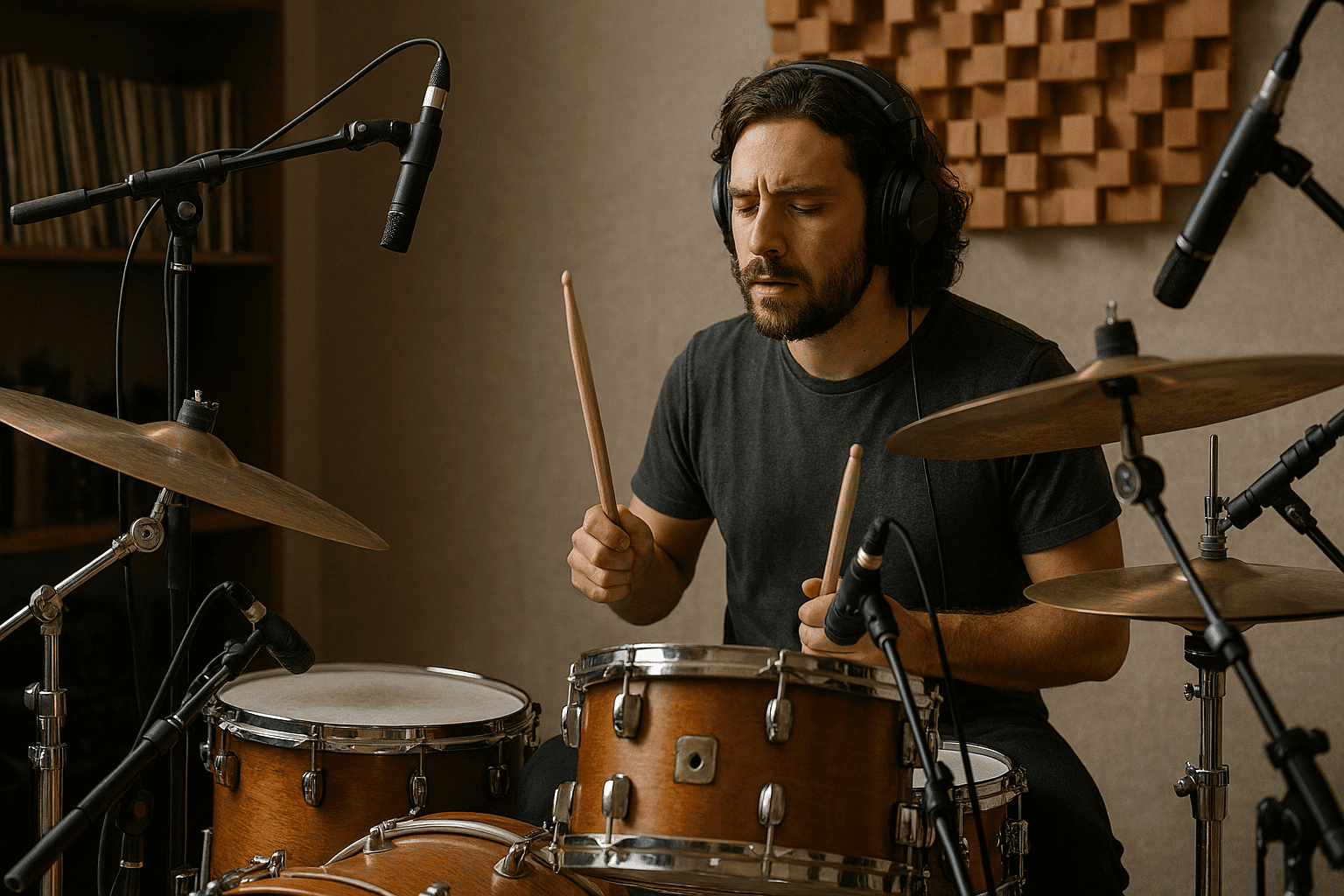
Drum recording is the most technically demanding recording task in a home studio. It requires managing multiple microphones simultaneously, dealing with bleed between channels, understanding complex phase relationships, and making the most of whatever acoustic space is available. But it’s entirely achievable at home with a methodical approach — even with a modest microphone collection. This guide covers everything from a single-microphone overhead setup to a comprehensive eight-microphone arrangement.
Before You Record: Tuning and Preparation
A poorly tuned drum kit sounds bad regardless of how many microphones you use or how good your preamps are. Every head should be in good condition — replace heads that are visibly dented, torn, or that have gone dead. Tune each lug evenly around the head, working in a cross pattern. The batter head (top) and resonant head (bottom) can be tuned to different pitches to dial in the drum’s tone and decay. A kick drum with a pillow or blanket inside the shell produces a punchy, controlled sound; remove the front head entirely for maximum punch and minimum sustain.
Hardware noise — rattling tension rods, squeaking kick drum pedals, loose stands — is picked up by condenser microphones and ruins takes. Go through every piece of hardware before the session and tighten, oil, or dampen as needed. Remove anything from the room that might resonate sympathetically with the drums.
1-Microphone Setup: The Room Mic
A single microphone placed 2–3 metres in front of the kit and 1.5 metres up (roughly at the drummer’s head height) captures the whole kit as it sounds in the room. This produces a natural, cohesive drum sound where every element is in its correct natural balance and phase relationship. It doesn’t give you the ability to adjust individual drum levels in the mix, but what it gives you — particularly in a room with decent natural acoustics — can be more musical than an over-miked kit processed to death.
A large-diaphragm condenser or a quality small-diaphragm condenser works well in this position. The character of the recording is heavily influenced by the room — a room with life and natural reverb produces a full, musical result; a dead, small room produces a flat, airless sound. For single-microphone recording, choose the best-sounding room available.
2-Microphone Setup: Overhead Pair
Two matched small-diaphragm condenser microphones positioned as a stereo pair above the kit is the foundation of most professional drum recording setups. The overheads capture the cymbals with detail and air, and provide the stereo image and overall tone of the kit. The most common positions:
Spaced pair (A-B): Two microphones placed 1–1.5 metres above the kit, equally spaced left and right. Simple to set up, wide stereo image, but can have phase issues when summed to mono. Position each mic at equal distance from the snare to maintain a centred snare image.
XY stereo: Two cardioid mics with capsules co-incident (as close together as possible) at 90 degrees to each other, positioned above and slightly in front of the kit. Phase-coherent, mono-compatible, slightly narrower image than a spaced pair. Better for mono-compatible recordings.
3–4 Microphones: Adding the Kick and Snare
Once overheads are in place, the kick drum and snare are the highest priority additions. The kick drum’s fundamental lives at 60–80Hz and its attack at 3–5kHz — frequencies that overhead mics struggle to capture with definition. A dedicated kick mic placed just inside the front head’s port hole (or pointed at the batter head from about 30cm if the front head is intact) captures the low-end punch and attack click that overheads miss.
The Shure Beta 52A and AKG D112 are the classic dedicated kick drum microphones — large-diaphragm dynamics with a scooped midrange and boosted low and high frequency response designed for this specific application. A Shure SM57 or SM58 also works well inside the kick and gives a tighter, more present sound.
The snare drum sits within the overhead mics’ pickup range, but a close mic gives you the ability to add more snare crack and presence in the mix. An SM57 positioned at the edge of the snare batter head, angled down toward the centre at roughly 45 degrees, is the universal starting position. A second SM57 under the snare (pointing up at the resonant head) captures the wire snare sound separately — flip polarity on this bottom mic to compensate for it facing the opposite direction.
5–8 Microphones: Adding Toms and Room
Individual tom microphones give you independent control of each tom in the mix — essential for more complex drum production. SM57s work well on toms; the Sennheiser e604 clip-on is popular for its convenience (clips directly to the tom rim). Position each tom mic at the edge of the head, angled down toward the centre at 45 degrees, about 3–5cm from the head surface.
A room microphone — a single large-diaphragm condenser or dynamic placed 3–5 metres from the kit — captures the natural reverb of the recording space and can add enormous life and power to a drum mix when blended in parallel with the close mics. The room mic is often processed heavily (heavy compression, sometimes distortion) to create the “big room” drum sound characteristic of hard rock and metal recordings. Position it further from the kit for more room character; closer for a more direct sound.
Phase Alignment: The Critical Step
With multiple microphones at different distances from the drums, phase relationships are the biggest technical challenge in drum recording. Every microphone in a multi-mic drum setup should be checked for phase alignment. The practical procedure: solo the overheads, then un-solo the kick mic and listen. If the kick sounds fuller and more powerful together than it did solo, the mics are in phase. If it sounds thinner and weaker, flip polarity on the kick mic. Repeat for every close mic against the overheads.
Plugin-based phase alignment tools — Little Labs IBP emulations, the Waves InPhase, or the sample-level delay adjustment in your DAW — allow fine-tuning beyond a simple polarity flip and are worth using on any session where the drums will be prominent in the mix.