
MusicTech.blog
Synthesizer Control Explained: MIDI, CV/Gate, MPE, and Expression
September 2, 2025
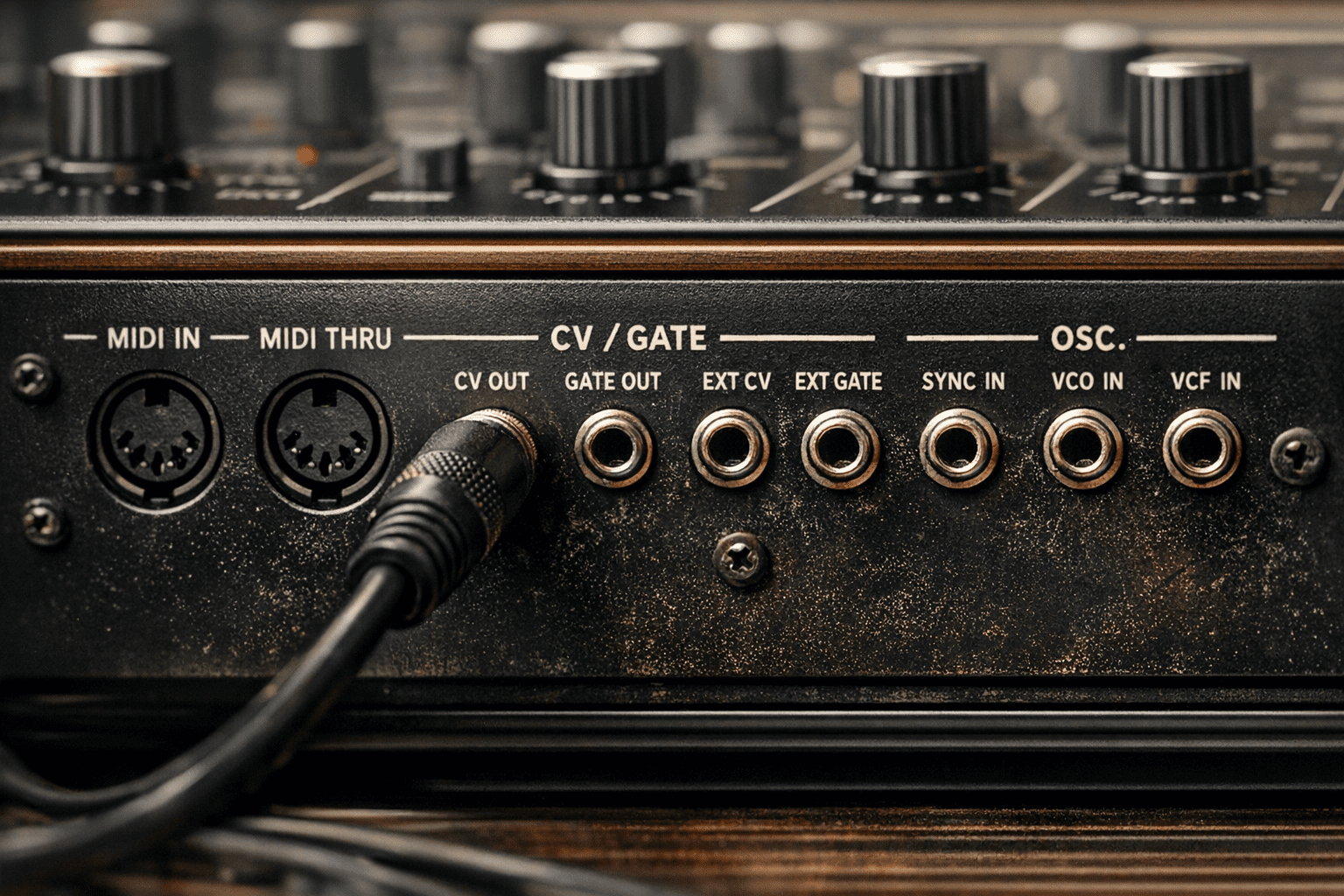
A synthesiser without a control interface is a circuit making no sound. The way you communicate with a synthesiser — what notes to play, how loud, how long, with what nuance and expression — has been one of the defining engineering and musical questions of the electronic instrument era. MIDI standardised this communication in 1983 and transformed the industry; CV/gate predated it by two decades and is experiencing a remarkable revival; MPE is extending MIDI’s expressive capability into territory that analogue performance interfaces explored long before digital instruments existed.
This is part of our Synthesizers Explained guide.
CV/Gate: The Analogue Language
Before MIDI, analogue synthesisers communicated through Control Voltage (CV) and Gate signals — continuous electrical voltages that carry performance information.
CV (pitch) uses a standardised voltage-to-pitch relationship to control oscillator frequency. The most common standard is 1 volt per octave (1V/oct): a 1V increase in control voltage raises pitch by one octave. A keyboard producing 0V plays the lowest note; 1V plays one octave up; 2V plays two octaves up. The synthesiser’s oscillator tracks this voltage and generates the corresponding frequency. Moog, Sequential Circuits, and Oberheim instruments used this 1V/oct standard.
Gate is a separate signal that indicates note on/off — a high voltage (typically +5V or +10V) when a key is depressed, returning to 0V when the key is released. Some instruments used a “trigger” instead of gate — a short pulse at note on rather than a sustained high voltage.
Additional CV signals could carry other performance data — modulation wheel position, aftertouch pressure, velocity (in more sophisticated implementations). The number and type of CV inputs and outputs varied between manufacturers, which is why interfacing different vintage analogue instruments could be complex.
CV/gate is the native language of Eurorack modular synthesis. Eurorack standardises CV levels (audio signals at ±5V or ±10V; control signals typically 0–10V or ±5V) and uses 3.5mm patch cables for all connections. In a modular system, any module’s output can be patched to any module’s input — a sequencer’s pitch CV feeds an oscillator, a filter envelope’s output modulates VCA amplitude, a random voltage source modulates filter cutoff. This total interconnectability, with no fixed signal path, is the defining characteristic of modular synthesis.
MIDI: The Universal Language
MIDI (Musical Instrument Digital Interface) was developed collaboratively by synthesiser manufacturers in 1983 — a rare example of competing companies agreeing on an industry standard. The first MIDI connection was made publicly between a Sequential Circuits Prophet-600 and a Roland Jupiter-6 at the 1983 NAMM show.
MIDI transmits digital messages rather than continuous voltages. The core messages include:
- Note On / Note Off — with a note number (0–127, covering over ten octaves) and velocity value (0–127, representing how fast the key was depressed — faster = louder in most instruments).
- Control Change (CC) — a numbered continuous controller (0–127) with a value (0–127). CC1 is the modulation wheel; CC2 is breath controller; CC7 is channel volume; CC11 is expression; CC64 is sustain pedal. CCs can be assigned to almost any synthesiser parameter.
- Pitch Bend — a 14-bit value (fine resolution) representing pitch bend wheel position. Shared across all notes on a channel — one bend applies to all sounding notes simultaneously.
- Aftertouch — channel aftertouch sends a single pressure value for all notes on the channel when any key is pressed after initial contact. Polyphonic aftertouch (less common) sends independent pressure values per key.
- Program Change — selects a patch or preset number on the receiving instrument.
- System Exclusive (SysEx) — manufacturer-specific data for patch dumps, parameter editing, and proprietary communication.
Standard MIDI operates on 16 channels, allowing 16 independent instrument parts over a single connection. Its 7-bit resolution (128 values for most parameters) is adequate but not fine enough for high-precision continuous control — a limitation that became apparent as expressive instruments demanded smoother, higher-resolution response.
MIDI in the Studio: Practical Applications
In a modern DAW-based studio, MIDI is the fabric that connects everything. A MIDI keyboard controller sends note and CC data via USB MIDI to the DAW, which routes it to software instrument tracks. Hardware synthesisers connect via 5-pin DIN MIDI or USB MIDI and appear in the DAW as MIDI output targets. Automation lanes in the DAW record and play back MIDI CC values over time, allowing intricate parameter animation.
MIDI clock and MIDI timecode synchronise the timing of multiple devices — hardware sequencers, drum machines, and synthesisers can all lock to a shared tempo reference. In Cubase, the MIDI ports panel (Studio → Studio Setup → MIDI Port Setup) manages all connected MIDI devices and their routing.
MPE: MIDI Polyphonic Expression
Standard MIDI’s fundamental limitation for expressive performance is channel-shared control: pitch bend, aftertouch, and CC values apply to all notes on a channel simultaneously. If you bend the pitch wheel while playing a chord, every note bends together. If you apply aftertouch, every sounding note responds to the same pressure value. This prevents the kind of per-note expressive control that is fundamental to acoustic instrument playing — bending one string while others remain stable, applying vibrato to one voice independently of another.
MPE (MIDI Polyphonic Expression) solves this by assigning each note its own MIDI channel. When an MPE instrument plays a chord of five notes, each note is transmitted on a different channel — allowing each to carry independent pitch bend, slide (CC74), and pressure (aftertouch) values. The result is per-note expression that enables continuous pitch glides, vibrato, and pressure control on individual notes within a chord.
MPE was ratified as part of the MIDI standard in 2018 (as MIDI 1.0 specification supplement). MPE-capable instruments include:
- ROLI Seaboard — a continuous, keyboard-shaped surface sensitive to position (pitch), slide (timbre), strike (velocity), press (aftertouch), and lift. One of the most expressive MIDI controllers ever designed.
- Linnstrument — a grid-based MPE controller from Roger Linn (designer of the original LinnDrum). 200 pressure-sensitive pads arranged in a guitar-like interval pattern.
- Haken Continuum — a high-resolution continuous surface controller with extraordinary sensitivity. Used by electronic music performers for monophonic and polyphonic MPE expression.
- Expressive E Osmose — a piano-style keyboard with per-key continuous X, Y, and Z axis sensing, producing MPE output with familiar keyboard ergonomics.
MPE-compatible synthesisers that respond to per-note expression include Surge XT (free), Pianoteq, Arturia Pigments, and many modern hardware instruments. Enabling MPE in Cubase requires setting the MIDI input to receive on “All MIDI Inputs” and configuring the instrument to accept per-note data — most modern MPE-capable plugins handle this automatically.
MIDI 2.0
MIDI 2.0 was ratified in 2020 and represents the first major update to the MIDI specification since 1983. Key improvements include 32-bit resolution for control data (vs. 7-bit in MIDI 1.0 — a 512-million-fold increase in resolution), per-note controllers built into the base specification (incorporating MPE concepts), bidirectional communication for automatic device configuration, and backwards compatibility with MIDI 1.0 devices. MIDI 2.0 adoption is underway but not yet universal — most current DAWs and instruments still operate primarily on MIDI 1.0.
Breath Controllers
A dedicated control interface worthy of mention alongside MIDI, CV, and MPE: the breath controller. A breath controller measures the player’s breath pressure and converts it to MIDI CC data (typically CC2, or CC11 in some configurations). Combined with a physical modelling or physically-responsive synthesiser — particularly the Yamaha VL series — breath controller provides the most natural and expressive interface for simulating wind instruments.
Yamaha’s BC3A, Hornberg Research HB1, and the TEControl USB Breath Controller are current hardware options. A breath controller assigned to CC2 in a synthesiser with physical modelling response to breath pressure transforms electronic wind performance from note-on/note-off into a continuous, pressure-sensitive, acoustically-modelled experience.
OSC: Open Sound Control
Open Sound Control (OSC) is a communication protocol designed for modern computer music systems. Unlike MIDI, which uses a fixed message format over serial connections, OSC transmits data over computer networks (typically UDP/IP) with flexible message addressing and high-resolution floating-point values. It’s widely used for communication between software applications, between computers and microcontrollers in DIY instruments, and as the output format of touchscreen performance applications like TouchOSC. OSC doesn’t replace MIDI in standard studio workflows but complements it in advanced and experimental contexts.
Quick Tips to Carry Forward
- MIDI CC2 is breath controller — if you use a breath controller or wind controller, this is the default mapping
- MIDI CC74 is the slide/brightness parameter in MPE — used for horizontal finger position on MPE surfaces
- CV/gate is the language of Eurorack modular — if you want to connect hardware modular to a DAW, you need a CV interface (Expert Sleepers ES-8 or Moog DFAM → MIDI converter)
- MPE requires a compatible controller AND a compatible synthesiser — check both before assuming per-note expression will work
- Polyphonic aftertouch on a keyboard is rare but powerful — if your keyboard has it, explore it
Control and synthesis are inseparable. The expressive possibilities of a physical modelling synthesiser are only accessible if the control interface can communicate continuous, nuanced performance data. Understanding MIDI, CV, and MPE — what each can and cannot express — is as important as understanding the synthesis engine itself.
Related: Classic Synthesizers • Subtractive Synthesis Explained • Synthesizers Explained (complete guide)